
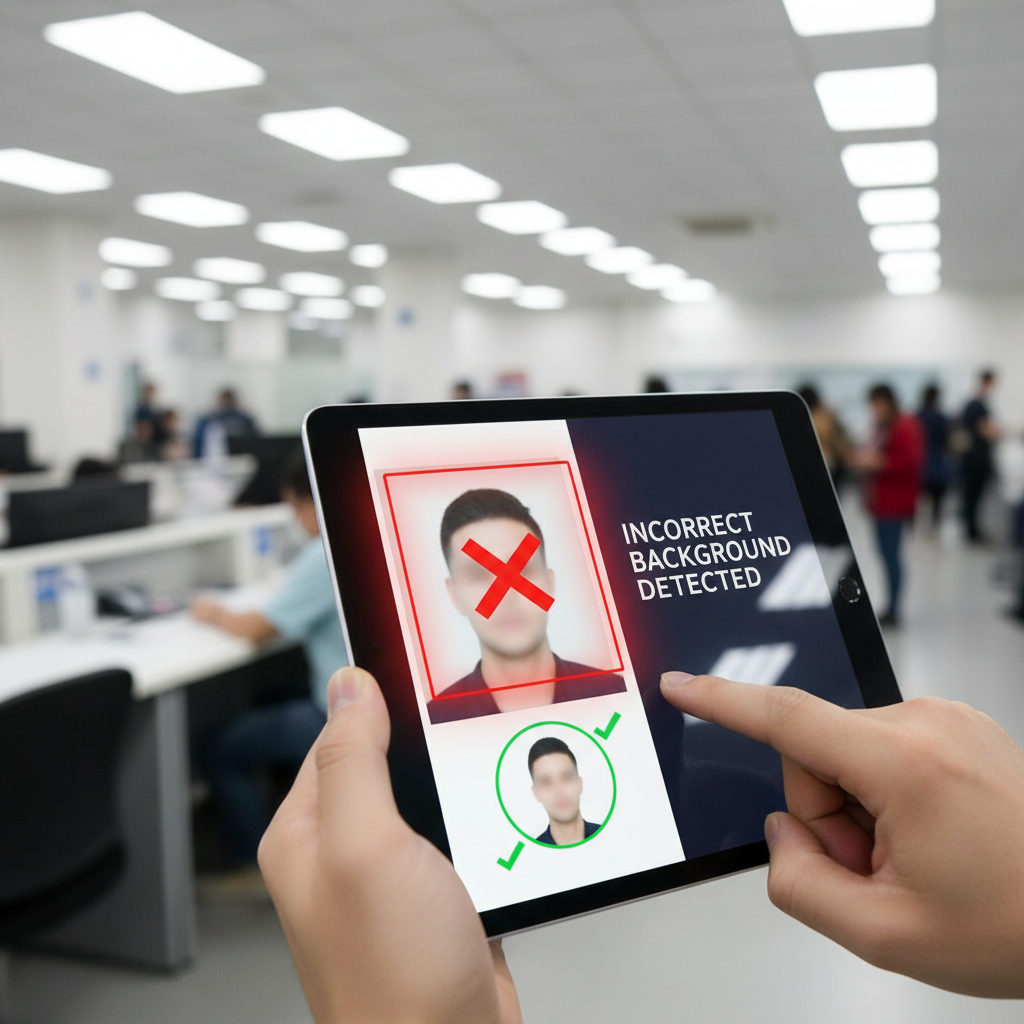
How VisaSnap Detects Incorrect Backgrounds
Why the background matters for US visa photos
VisaSnap flags incorrect backgrounds because the US Department of State requires a plain white or off-white background with no shadows, patterns, or distracting elements, and a non-compliant background is a common reason for visa photo rejection and application delays .
What VisaSnap checks against the official requirements
VisaSnap evaluates photos for the core background requirements: plain white or off-white color, absence of shadows, and no visible patterns or distracting elements, aligning its checks to the Department of State specifications to help you avoid rejections .
Plain white or off-white requirement explained
The photo background must be a clean, uniform white or off-white surface; any colored walls, textured backdrops, or visible objects can cause a background failure and will be treated as incorrect by VisaSnap and by consular review .
Shadows and lighting problems that trigger failures
Even lighting is mandatory — shadows on the face or background, uneven brightness, or glare can make a background unacceptable, so VisaSnap detects and flags these lighting issues so you can retake the photo under better conditions .
Common distracting elements that lead to rejection
Patterns, visible furniture, wallpaper, or other background objects are considered distracting and non-compliant; VisaSnap will identify these elements and advise you to use a plain backdrop for a compliant submission .
How framing and head size relate to background compliance
Because the head must occupy a specific portion of the 2x2 inch image (between 1 inch and 1 3/8 inches from top of head to chin), incorrect framing can expose non-compliant background areas; VisaSnap checks framing to ensure background remains uniform around the subject .
Pose and face visibility considerations
Applicants must face the camera directly with a neutral expression so facial features are clearly visible; this frontal pose helps ensure the background is evenly captured and checked for compliance by VisaSnap .
Head coverings, hats, and background interactions
Head coverings for religious reasons are permitted only if they do not obscure the face; VisaSnap will confirm the head covering does not cast shadows or create irregular background shapes that could render the background unacceptable .
Eyeglasses, glare, and background detection
Although eyeglasses are generally not allowed unless medically necessary, any eyewear that causes glare or shadows can affect both face visibility and background uniformity; VisaSnap flags glare and lighting artifacts that compromise background compliance .
Practical step: setting up a compliant background at home
Use a plain white wall or a smooth white sheet as a backdrop, ensure it is free of patterns and creases, and position the subject several feet from the backdrop to avoid shadows — these practical steps reduce the chance VisaSnap will flag the background as incorrect .
Practical step: lighting setup to avoid shadows
Illuminate the subject with even, frontal lighting and avoid strong backlighting; use two light sources at equal angles or natural diffused daylight to minimize shadows on the background and face, helping VisaSnap validate the background successfully .
Practical step: camera and resolution settings
Capture a color image at a minimum of 600x600 pixels and ensure the photo is sharp and evenly lit; low resolution or visible noise can exaggerate background imperfections and lead to a detected failure by VisaSnap .
Using DIY tools and apps to correct minor background issues
If you take photos at home, consider using apps like AI Passport Photo to automatically adjust framing and help ensure the background is plain and correctly lit; VisaSnap-compatible tools can reduce common background errors before submission .
When to use a professional photo service
If you’re unsure about achieving a plain, shadow-free background yourself, a professional photo service can provide correct backdrops, studio lighting, and guaranteed compliance; this lowers the risk that VisaSnap or consular review will detect background problems .
Printing and finishing steps that affect background appearance
If printing the photo, use high-quality matte or semi-matte photo paper to avoid glare; glossy prints can produce reflective highlights that make the background appear non-uniform and increase the chance VisaSnap will flag the photo .
Quick checklist to avoid background rejections
Before submitting, confirm the background is plain white/off-white, free of shadows and patterns, evenly lit, and that the head is correctly framed to 2x2 inches with the proper head size — following this checklist reduces the likelihood VisaSnap will detect an incorrect background .
What to do if VisaSnap flags your background
If your photo is flagged for background issues, retake the photo using a plain white backdrop, adjust lighting to remove shadows, increase distance from the background, and re-capture or use a trusted app or professional service to verify compliance before resubmission .
Final reminder: follow official specifications closely
Consistently following the Department of State’s requirements — plain white/off-white background, even lighting, correct framing, and up-to-date appearance — is the most reliable way to prevent VisaSnap from detecting background problems and to ensure a smooth visa photo validation process .